Summary
This guide shows you how to update your personal details in the DiverseHosting Client Area. Keeping your information up to date ensures you continue to receive important notifications and support updates.
Update your account details
- Sign in to your DiverseHosting Client Area.
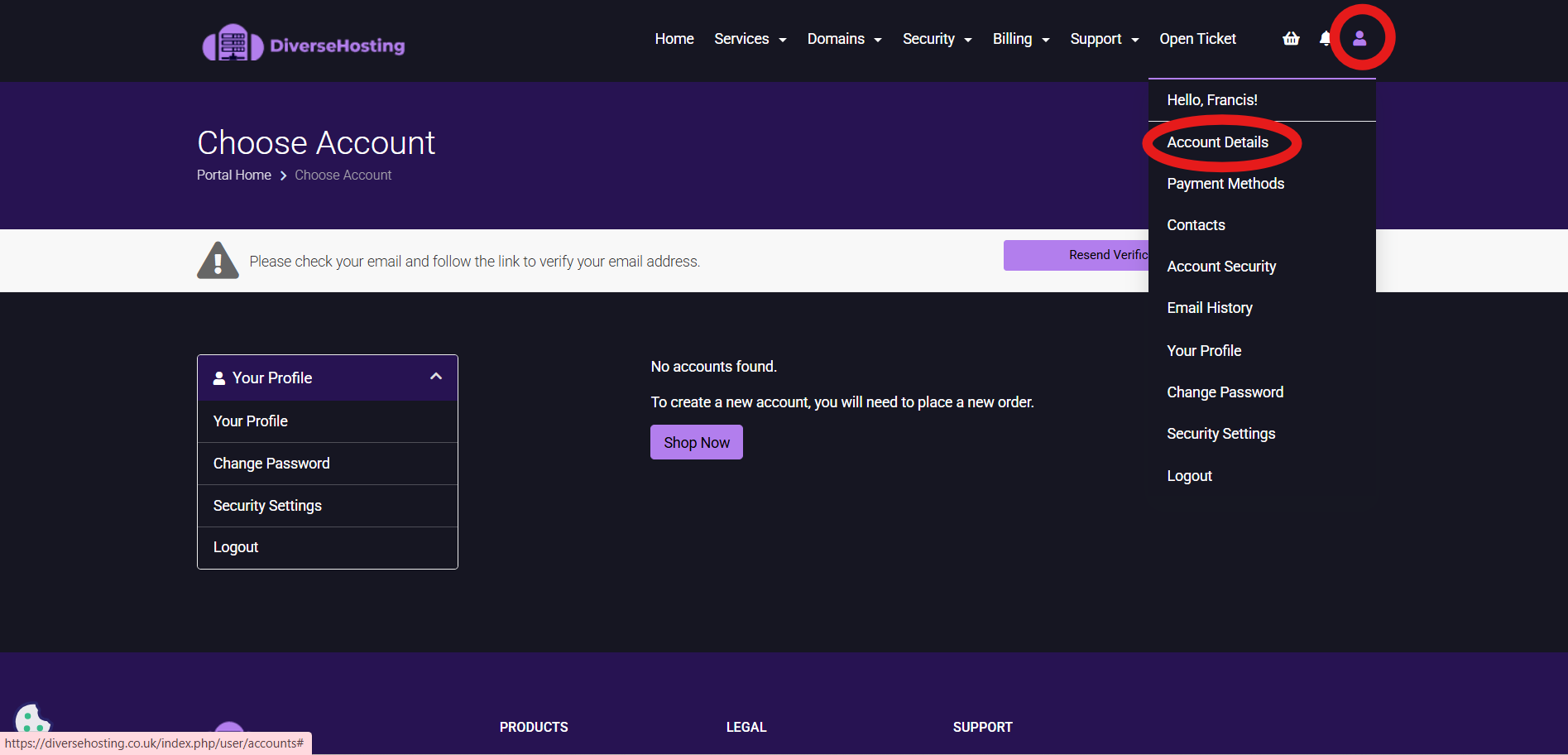
- From the top menu, click on the person icon (see red annotation in the screenshot) and choose Account Details.
3.Click on 'Your Profile' and make necessary profile changes.
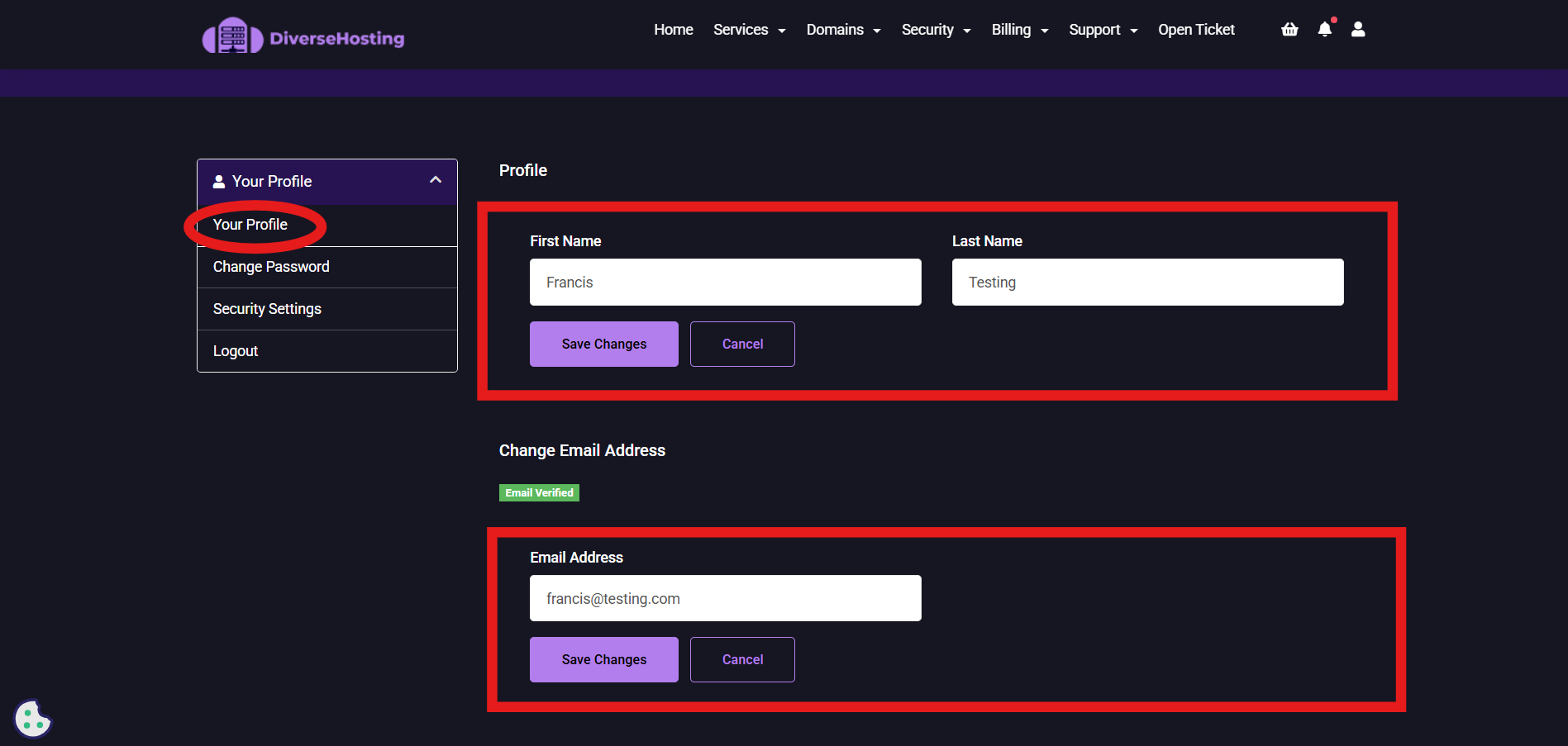
4. Click on save changes for the relevant section (Name / Email) that you have made changes in.